
Where to Find Miami-Dade County Court Records
Miami-Dade court records live in four different online systems run by the Clerk of the Court and Comptroller. Civil, family, and probate cases sit in one app. Criminal cases use a second app. Traffic citations use a third. Recorded land documents, liens, plats, and judgments use a fourth. Each system serves the Eleventh Judicial Circuit and the County Court divisions in Miami-Dade. Each has its own search fields and its own way of building a case number. A search that fails in one portal may work fine in another, so the first job is to pick the right one.
The four primary portals are the Civil, Family and Probate Courts Online System (OCS), the Criminal Justice Online System (CJIS), the Traffic Searches application, and the County Recorder Official Records Search. Code enforcement citations live in a fifth tool reached from the same Clerk site. All four court portals are free for basic searches. Some advanced views, document images, and certified copy orders require a registered user account through the Clerk's User Management Services. The Clerk site notes that nonlogged users see a reCAPTCHA prompt and may face search limits.
The official county service hub lists the search options plainly. Civil, family, and probate records can be searched by party name, local case number, state case number, and hearing date. Criminal cases can be searched by case number, state case number, citation or police number, defendant name, jail number, and by judge name and calendar date. Official Records can be searched by party name, CFN number, recording book and page, or legal description with plat book and page. Code enforcement citations can be searched by citation number, folio number, name, or mailing address.
A quick guide to Miami-Dade Clerk records services is shown below from the Clerk's records hub.
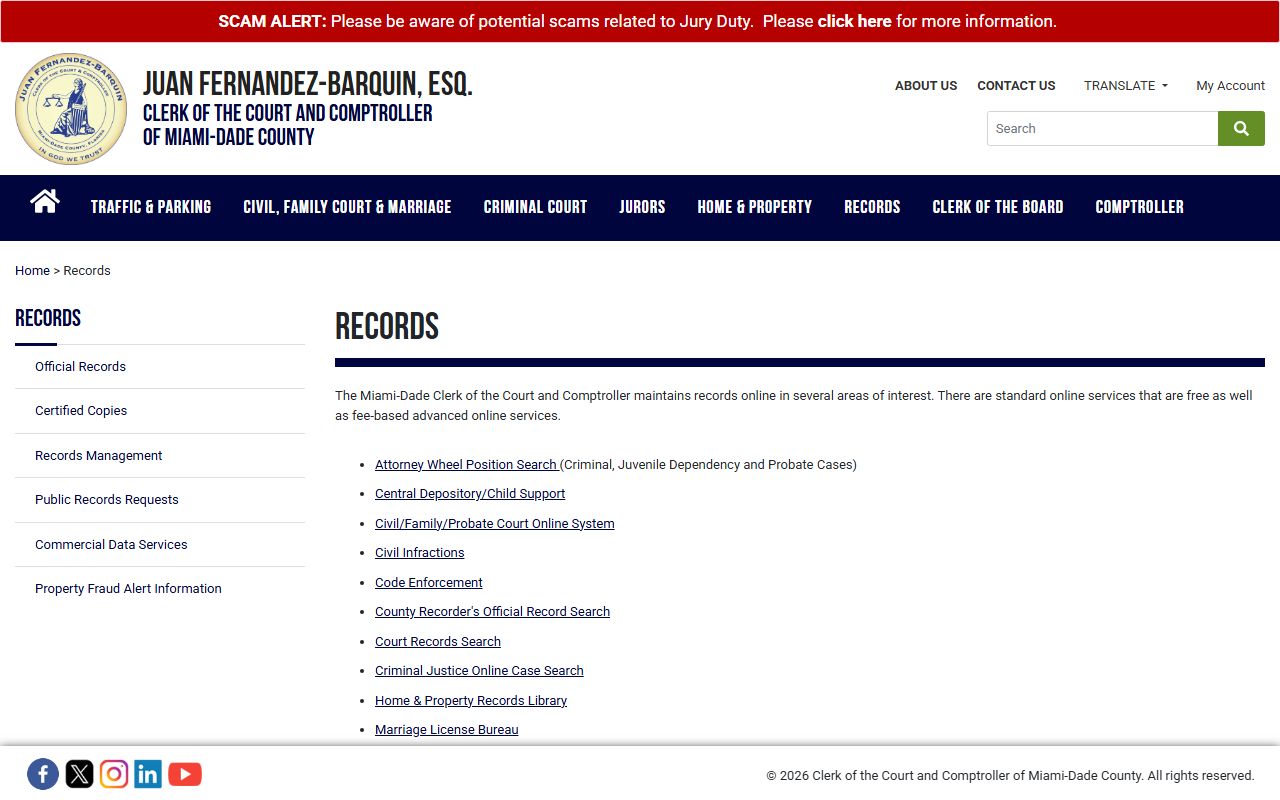
The Clerk hub links out to OCS, CJIS, Traffic Searches, Official Records, and the marriage and probate service pages. It is the simplest landing page if a searcher is not sure which portal a case lives in.
The OCS Portal: Civil, Family, Probate
The Civil, Family and Probate Courts Online System is the main civil records portal for the Eleventh Judicial Circuit and County Civil. It covers Circuit Civil cases (damages over $50,000), County Civil cases up to $50,000, small claims up to $8,000, Family law cases (divorce, custody, child support, paternity, adoption, name change), Probate matters (estates, trusts, guardianship, mental health, Marchman Act), domestic violence injunctions, and civil appeals. The system is open to the public, but some family, probate, and mental health images are blocked from public view by Florida court rules.
The left sidebar of OCS lets a user pick a search method: Home, Local Case, State Case, Party Name, or Hearings. Registered users see extra options such as Attorney Bar Number and File Date searches. Attorneys with case-tagging access get My Cases and My Hearings. A typical name search starts with the Party Name tab. The tooltip says enter at least three letters of the last name, plus a first initial or first name to keep the result list manageable.
The OCS portal's home screen and search panel are shown below from the OCS landing page.
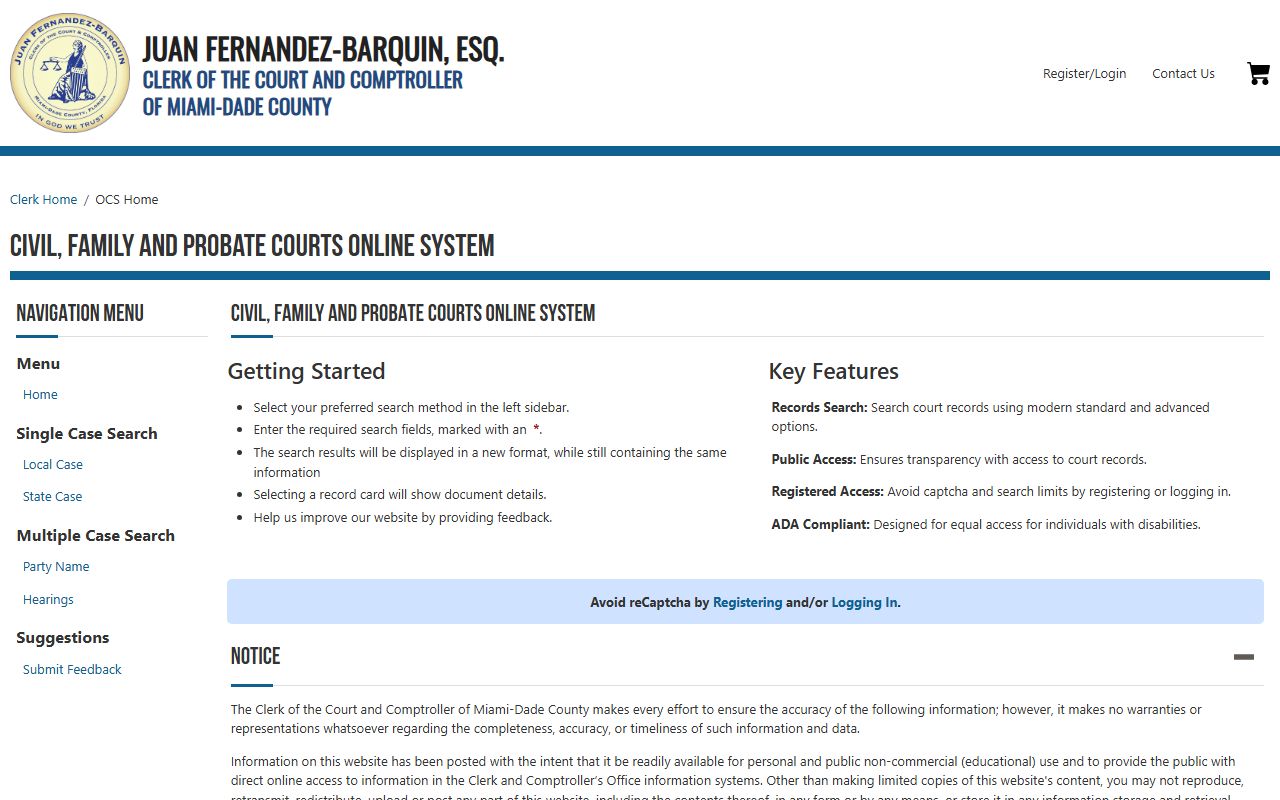
The screen above is the public entry point for all civil, family, and probate searches. Records of interest are opened from a results card, which then shows docket entries, hearing data, and document links subject to the Access Security Matrix.
| Field Label | Type | Required | Notes / Format |
|---|---|---|---|
| Search method | Sidebar menu | Yes | Home, Local Case, State Case, Party Name, Hearings. Registered users also see Attorney Bar Number and File Date. |
| Last Name | Text | Yes (person) | Party Name search needs at least 3 letters; add first initial or first name to limit results. |
| First Name | Text | Optional | Used with last name for person party search. |
| Business Name | Text | Yes (business) | Alternative radio option for company or organization parties. |
| Party Type | Dropdown | Optional | Plaintiff, defendant, petitioner, respondent, and others as loaded by the OCS type service. |
| Case Type | Dropdown | Optional | Loaded by the OCS type API; options vary by system configuration. |
| Filing Date From | Date | Optional | Some date range searches are limited to registered users. |
| Filing Date To | Date | Optional | Pairs with the From date. |
| Local Case: Case Year | Dropdown | Yes | 1950 through current year; local example 1973-908535-SP-05. |
| Local Case: Case Sequence | Text | Yes | Max 6 digits, left padded with zeros. |
| Local Case: Case Code | Dropdown | Yes | AC, AF, AP, CA, CC, CP, DR, GD, MH, SC. |
| Local Case: Case Location | Dropdown | System | Driven by case code (e.g., DR=04, CA=01, CC/SC=05/20-26, CP/GD/MH=02). |
| State Case segments | Mixed | Yes | 13 (county ID) + year + court + sequence + party ID + location. Example 131973CA018464000001. |
| Hearing Date | Date | Yes (hearing) | MM/DD/YYYY through browser date input. |
| Hearing Court Type | Dropdown | Yes (hearing) | CA Circuit Civil, FC Family Civil, CC County Civil, MH Mental Health. |
| Hearing Calendar Type | Dropdown | Yes (hearing) | Motions, Foreclosure Motions, Simple Dissolution, Pretrials, and others by court type. |
Note: Registered users with the Clerk's User Management Services account skip the CAPTCHA and gain access to extra date and section filters.
The CJIS Portal: Criminal Cases
The Criminal Justice Online System handles all adult criminal cases in Miami-Dade. That covers Circuit Criminal felonies, County Criminal misdemeanors, criminal traffic charges (including DUI), ordinance violations, and certain civil infractions tied to criminal activity. Juvenile delinquency files are not in CJIS; they are restricted under Florida juvenile statutes and Rule 2.420. CJIS also exposes calendar searches, jail-number lookups, certified copy orders, and disposition letter requests.
Public users can search CJIS by case number, state case number, citation or police number, defendant name, or jail number. The case-number search asks for a one-letter Case Code, year, six-digit sequence, and an optional suffix. Co-defendant suffixes such as A, B, and C are used when multiple defendants share a charging instrument. Deep dives into criminal history are covered on the Miami-Dade criminal records page.
The criminal portal's main search page is shown below from the CJIS landing page.
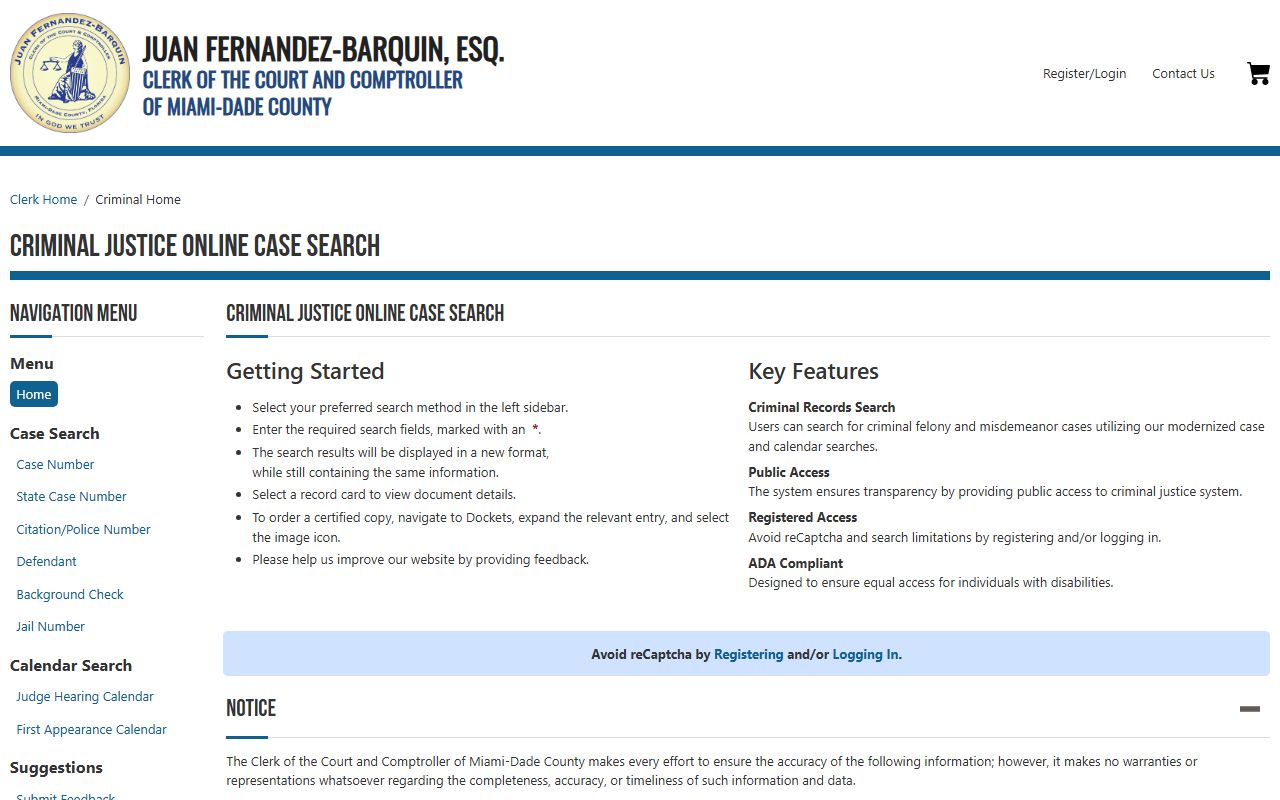
The CJIS app supports bookmarks for registered users, and the Order Certified Copies workflow flows from a case card straight into a cart.
| Field Label | Type | Required | Notes / Format |
|---|---|---|---|
| Case Code | Dropdown | Yes | B (Branch), F (Felony), or M (Misdemeanor). |
| Case Year | Dropdown | Yes | 1925 through current year. |
| Case Sequence | Text | Yes | 6-digit number, digits only. Sample placeholder 123456. |
| Suffix | Text | Optional | Single letter for co-defendant or related filing. |
| Citation / Police Number | Text | Yes (citation search) | Single text field for the police or citation number on the arrest paperwork. |
| Defendant Last Name | Text | Yes (name search) | Defendant search core field; first name and date of birth narrow results. |
| Defendant First Name | Text | Optional | Pairs with last name. |
| Date of Birth | Date | Optional | Used to filter common-name results. |
| Jail Year | Dropdown | Yes (jail search) | Last two digits of the booking year. |
| Jail Number | Text | Yes (jail search) | 7-digit jail number, placeholder 0123456. |
| Calendar Type | Dropdown | Yes (calendar) | Bond Hearing Calendar or Jail Arraignment Calendar for first-hearing review. |
The Traffic Searches Application
The Clerk's Traffic Searches application is built for civil traffic citations and certain criminal traffic lookups. It runs on tabbed search forms, with a tab each for citation number, case number, defendant name, driver license, tag, and bond action. Each tab has its own small set of fields and a Search button. The most useful tabs for the public are the citation tab (great for paying off or contesting a recent ticket) and the defendant tab (good for older cases without the ticket in hand).
Criminal traffic cases such as DUI or driving with a suspended license route to CJIS rather than the traffic app, because they sit in County Criminal. A short overview of citation handling, payment options, and license effects is on the Miami-Dade traffic court records page.
The Traffic Searches landing page is shown below from the official traffic search page.
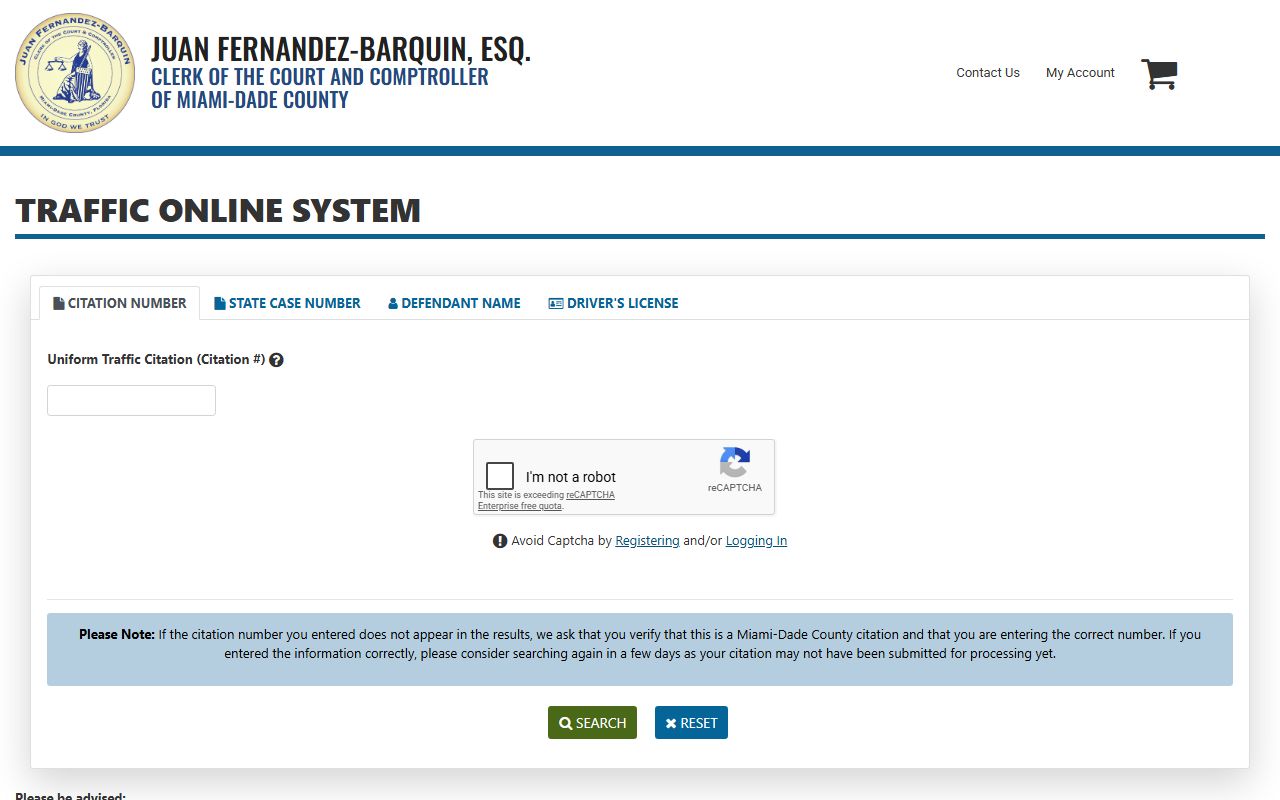
Tag and driver-license searches are limited and may return a thin record card; the case number tab is the most reliable lookup once a case has been filed.
Official Records
The Clerk also serves as the County Recorder. The Official Records Search holds deeds, mortgages, satisfactions, releases, mortgage assignments, claims of lien, financial statements, affidavits, judgments, civil court orders, declarations of domicile, powers of attorney, plats, and other recorded instruments. It is the right portal for property liens, recorded final judgments, and many post-judgment enforcement documents that show up after a civil case closes. Detailed coverage of recorder filings sits on the Miami-Dade public records page.
Official Records can be searched by Party Name, CFN (Clerk's File Number), recording Book and Page, or Legal Description with plat book and page. Advanced Search is a paid feature at $1 per search unit, deducted from a logged-in account balance. The basic search is free and returns enough information to pull most recorded documents.
The recorder search interface is shown below from the Official Records page.
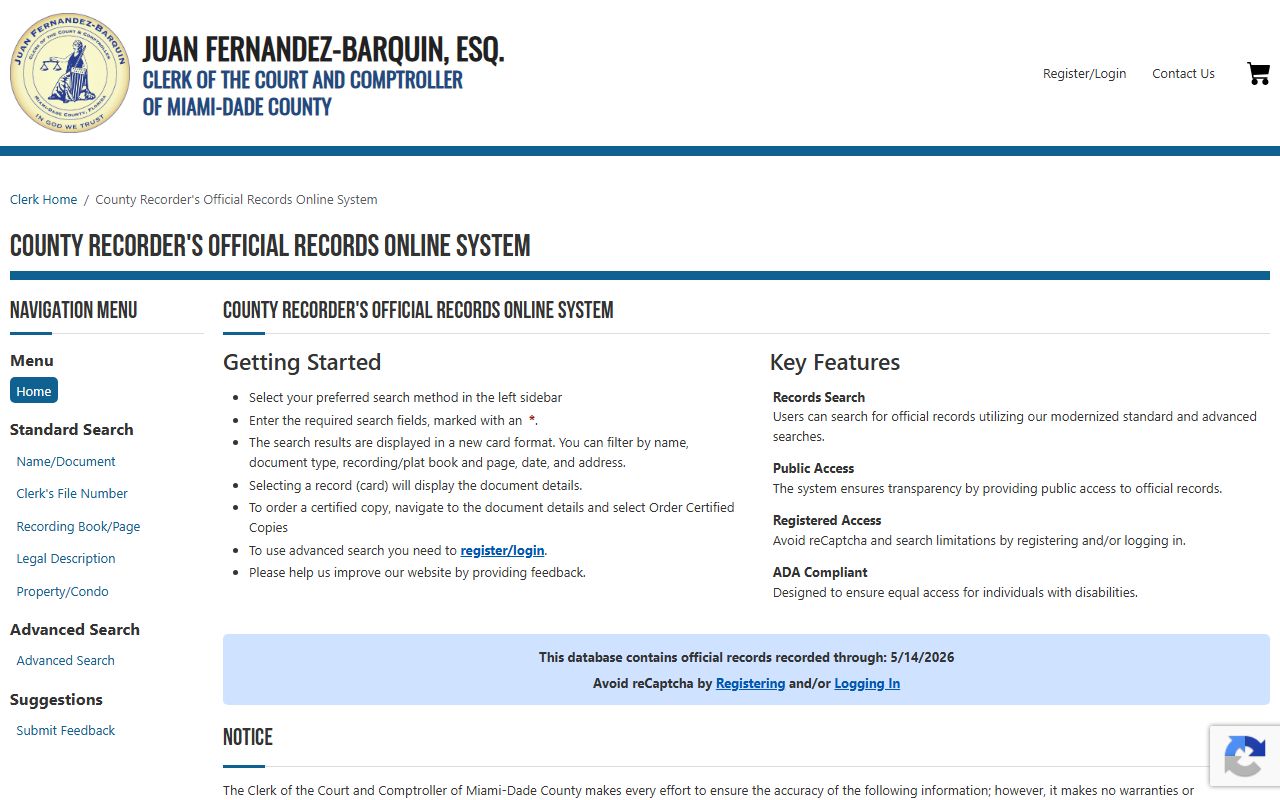
Recorded images are public, but Social Security, bank account, and credit card numbers can be redacted by request through the Clerk's online redaction tool.
Miami-Dade Case Number Formats
Knowing the case-number format saves time on every search. Miami-Dade uses three numbering schemes that show up across OCS and CJIS. A user who reads a clerk's stamp on a court paper can build the right query without trial and error.
The local OCS civil format is a four-digit case year, a six-digit sequence, a two-letter case code, and a two-digit location code. A sample value from the Clerk's own tooltip is 1973-908535-SP-05. The full state OCS format uses the county ID 13, the case year, the court division code, the sequence, a party ID, and the location. The Clerk sample is 131973CA018464000001. For criminal cases in CJIS, the local format is the one-letter case code (B, F, or M), a two-digit or four-digit year, a six-digit sequence, and an optional letter suffix for co-defendants. The State Attorney's e-service materials list examples such as F12001234, M12001234, B12001234, and J12001234, with letters such as A or B added when more than one defendant is on the case.
- CA
- Circuit Civil, for cases over $50,000.
- CC
- County Civil, for cases up to $50,000.
- SC
- Summary Civil, the small claims division up to $8,000.
- CP
- Circuit Probate, including estates, trusts, and guardianship.
- DR
- Domestic Relations, the family division.
- GD
- Guardianship, often paired with probate or mental health filings.
- MH
- Mental Health, including Baker Act and Marchman Act matters.
- F
- Felony, in CJIS.
- M
- Misdemeanor, in CJIS.
- B
- Branch criminal case, in CJIS.
What a Miami-Dade Court Record Shows
A Miami-Dade court record is more than a name and a case number. Each case card surfaces a set of standard fields that map to the docket file held by the Clerk. The fields below appear on OCS, with similar fields in CJIS for criminal cases.
| Field | What It Shows |
|---|---|
| Case Number | Local Miami-Dade case number in YYYY-NNNNNN-CODE-LOC format. |
| State Case Number | Twenty-character Florida state UCN, useful for cross-county lookups. |
| Filing Date | Date the initial pleading was filed with the Clerk. |
| Case Type | Civil, family, probate, criminal, traffic, or appellate label. |
| Parties | Plaintiff/defendant, petitioner/respondent, or State of Florida and defendant. |
| Related Cases | Sorted by local case number and state case number for crossover matters. |
| Hearing Date | Calendar date for the next or last hearing. |
| Hearing Court Type | CA, FC, CC, or MH division code. |
| Calendar Type | Motions, foreclosure motions, simple dissolution, pretrials, and others. |
| Judge Name | Sitting judge assigned to the case or hearing. |
| Documents | Scanned docket entries; some images are blocked by the Access Security Matrix. |
| Certified Copies | Order Certified Copies action for public users; charges added to a cart. |
| Redactions | SSN, bank, credit card, victim, juvenile, and family confidential fields stripped. |
CJIS adds criminal-only fields. Those include defendant date of birth, race, sex, jail number, citation or police number, bond information, plea, sentence, withhold of adjudication status, probation terms, and disposition letter availability. Document metadata in CJIS exposes DIN, document type, document code, file date, page count, and a path used by the Order Certified Copies workflow.
How to Search by Party Name
Most people start a Miami-Dade court records search with a name. A clean party-name search runs the same way in OCS and CJIS, with small wording changes. The steps below cover the public flow from a cold start.
- Pick the right portal. Use OCS for civil, family, or probate. Use CJIS for criminal. Use the Traffic Searches app for civil traffic citations.
- Open the Party Name or Defendant Name tab from the sidebar.
- Type at least three letters of the last name. Add the first initial or full first name to limit results to the right person.
- For business parties, switch to the business radio option and type the company name.
- If results look long, narrow them with Party Type, Case Type, or a Filing Date range. CJIS allows date of birth to cut common-name lists.
- Pass the reCAPTCHA when prompted. Registered users with a Clerk account skip it.
- Click a result card to see the docket, hearings, and any document images allowed under the Access Security Matrix.
- To pull a certified copy, use the Order Certified Copies button on the document detail screen.
Note: A party-name search will not return juvenile delinquency files, sealed records, or expunged records, and certain family and probate images are blocked from public view even when a case shows up in the result list.
Certified Copies and Document Images
A court record viewed online is not the same as a certified copy. Banks, immigration officers, schools, and other courts ask for certified copies, which carry the Clerk's seal and a written certification. The Clerk's online portals expose a built-in Order Certified Copies workflow on most case documents. The order captures the number of copies, drops the request into a cart, and accepts payment online. Items can also be picked up or mailed.
Document visibility is governed by the Florida Supreme Court Access Security Matrix. The matrix decides which document images are public, which are restricted to attorneys of record or registered users, and which are sealed entirely. Public users can usually see civil and probate docket entries and many civil document images, but family law financial affidavits, sealed criminal records, juvenile files, mental health records, and adoption files are blocked. Full procedures for ordering paper or digital certified copies sit on the Miami-Dade Clerk of the Court and Comptroller page.
County policy keeps copy fees in line with Chapter 119. Single-sided pages run 15 cents, double-sided pages run 20 cents, and certified copies run $1 per page. A service charge can be added when a request needs more than 20 minutes of clerical or supervisory time. Pre-printed reports are billed at the actual copy cost.
Note: A page printed from OCS or CJIS is not a certified copy. Courts and government agencies that need a sealed certified copy will reject a plain printout.
Public Access and Confidentiality
Florida treats court records as public by default. The foundation is Article I, Section 24 of the Florida Constitution, which grants a constitutional right of access to public records and meetings. Chapter 119, Florida Statutes (the Public Records Act) builds on that right with the rules for inspection, copying, exemptions, enforcement, and attorney fees. F.S. 119.01 sets the state policy that records be open for personal inspection. F.S. 119.011 defines public records broadly, and F.S. 119.07 grants the right to inspect and copy.
Judicial branch records have an extra layer. Florida Rule of General Practice and Judicial Administration 2.420 governs public access to court files and the process for filing under seal, moving for confidentiality, and redacting protected information. Rule 2.425 limits the unnecessary filing of full personal data such as full Social Security numbers and full account numbers. The combination of Chapter 119 and Rule 2.420 is why Miami-Dade Clerk portals can show a docket and still block a sensitive image inside the same case.
Requesters do not have to give a name, explain a reason, or submit a written request to use Miami-Dade Clerk records. Email addresses sent to the Clerk are themselves public records, so people who do not want their email exposed should call or write instead. F.S. 119.10, 119.11, and 119.12 cover penalties, accelerated court hearings, and attorney fees if an agency unlawfully refuses access.
Note: Public access is broad but not unlimited; F.S. 119.071 carves out personal, victim, law-enforcement, and security exemptions that apply to many court files.
Records That Will Not Appear Online
Some Miami-Dade court records will never come up in a public OCS, CJIS, or Traffic search, no matter how careful the query. Juvenile delinquency and dependency files are restricted by Chapter 39 and Rule 2.420. The Children's Courthouse calendar app asks for a case number first and returns only judge, time, and courtroom for juvenile-family hearings. Adoption files are confidential under F.S. 63.162. Mental health and Baker Act records are protected by F.S. 394.4615 and by court access rules.
Sealed and expunged criminal records are removed from public Clerk searches. F.S. 943.059 governs sealing; F.S. 943.0585 governs expunction. Juveniles may see automatic expunction under F.S. 943.0515. Family law financial affidavits, much of the family law document image set, victim identifying information protected by Marsy's Law, grand jury material, trade secrets under F.S. 119.0715, and active investigative materials are also blocked from ordinary public view.
If a case appears in OCS or CJIS but a document image will not load, the file is most likely flagged under the Access Security Matrix. Sealed or expunged cases will not appear at all. Persons protected under F.S. 119.071 categories can request confidentiality for qualifying records, including some law enforcement officers, judges, prosecutors, and victims.
Related context on broader open-records rules sits on the Miami-Dade public records page, and a deeper look at sealed and expunged criminal files is on the criminal records page. For information on dockets and hearing calendars, see Miami-Dade court dockets.