
How to Search Miami-Dade Traffic Court Records
Civil traffic cases are searched through the Clerk's Traffic Searches application. The system has tabs for citation number, case number, defendant name, driver license, tag, and bond. It covers civil traffic infractions filed with the Clerk. Criminal traffic and injury-accident cases live in the criminal system instead, so they are found in the criminal portal.
Before starting, gather what you have. A citation number gives the fastest match. If you do not have it, a name with a date of birth, a driver license number, or a vehicle tag can work. The image below opens the live Traffic Searches application.
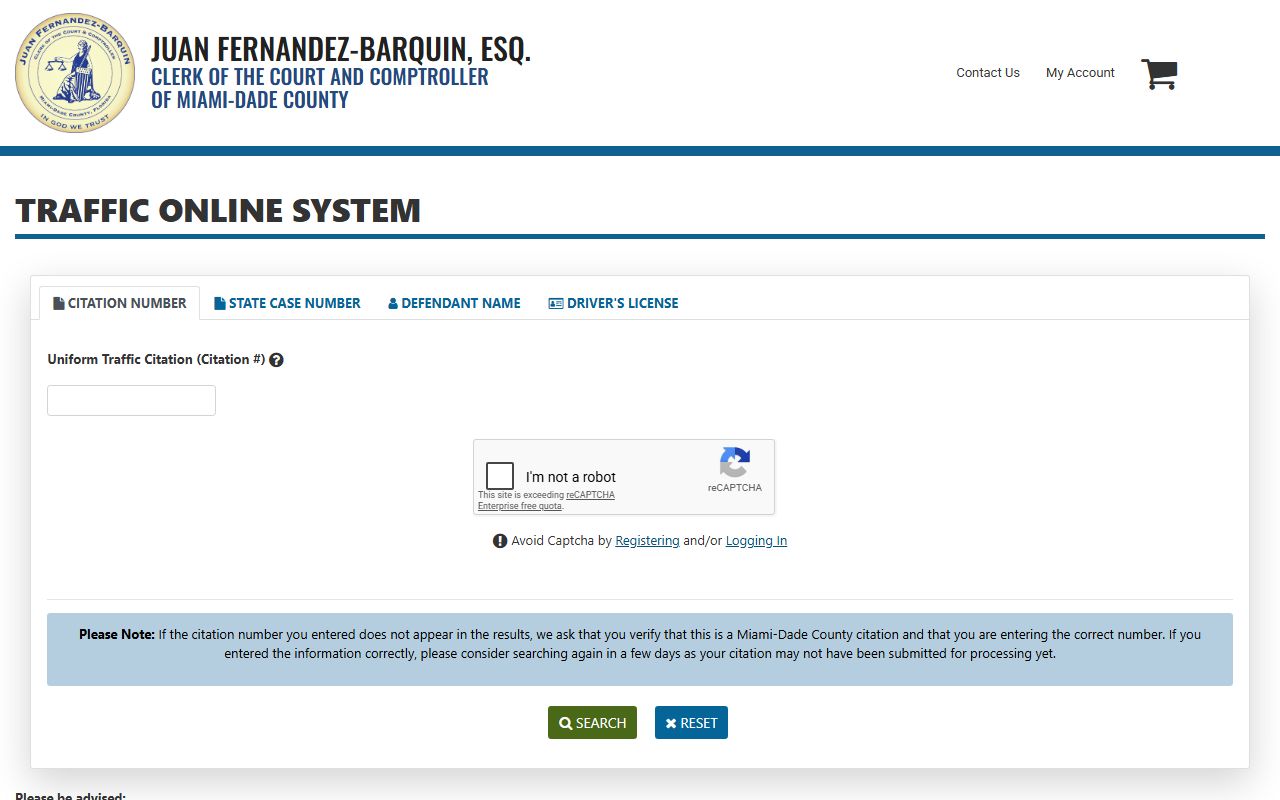
- Open the Traffic Searches application and accept the terms when prompted.
- Pick a search tab: citation number, case number, defendant name, driver license, or tag.
- Enter the value, adding a date of birth or sex to narrow a name search.
- Review the case details, court date, and disposition.
- Pay, contest, or request a certified copy as needed.
Which Courts Handle Traffic Cases in Miami-Dade
Florida splits traffic matters by type. Traffic Court hears civil traffic infractions. The Eleventh Judicial Circuit states that accidents with injuries and criminal traffic charges are heard in the County Criminal Division. So a speeding ticket and a DUI follow different tracks, even though both involve driving.
The practical result is two record sets. Civil traffic records sit in the Traffic Searches system. Criminal traffic records sit in the criminal case system. The table summarizes the split.
| Court | Traffic Cases Handled | Where to Search |
|---|---|---|
| Traffic Court | Civil traffic infractions | Clerk Traffic Searches |
| County Criminal | Criminal traffic, injury accidents | Criminal case search |
| Circuit Criminal | Felony traffic offenses | Criminal case search |
Types of Traffic Cases on Record
Traffic records cover a wide range, from minor infractions to commercial-vehicle matters. The list below outlines the main categories found in Miami-Dade.
- Civil traffic infractions: moving and non-moving violations handled in Traffic Court.
- Criminal traffic: offenses that route to County Criminal, including some repeat or serious matters.
- Parking and other civil citations: handled through Clerk applications for parking and civil infractions.
- Commercial vehicle and CDL: violations that carry extra rules for commercial drivers.
- Injury-accident cases: heard in County Criminal rather than Traffic Court.
What Miami-Dade Traffic Records Show
A traffic case record carries the citation, the parties, the violation, and the outcome. The inventory below maps the common fields to what they tell you.
| Field | What It Shows |
|---|---|
| Citation Number | The unique number on the ticket. |
| Case Number | The Clerk's case identifier for the matter. |
| Defendant | The driver named on the citation. |
| Violation | The cited offense or statute. |
| Court Date | Any scheduled hearing date. |
| Disposition | The outcome, such as paid, dismissed, or adjudicated. |
| Fine / Payment Status | Amount due and whether it is paid or in collections. |
| Traffic School | Whether a course was elected or completed. |
Searching by Citation Number vs by Name
The citation number is the most precise way to find one ticket. A name search can return several matches, so adding a date of birth or sex helps. The Traffic Searches application offers a tab for each method, listed below.
| Field | Type | Required | Notes |
|---|---|---|---|
| Citation Number | Text | For citation search | Fastest single-ticket match |
| Case Number | Text | For case search | Clerk case identifier |
| First / Last Name | Text | For name search | Defendant name |
| Sex | Dropdown | Optional | Male or Female |
| Date of Birth | Text | Optional | MM/DD/YYYY to narrow a name search |
| Driver License | Text | For license search | Driver license number |
| Tag | Text | For tag search | Vehicle tag number |
Paying or Contesting a Miami-Dade Traffic Ticket
Once you find the citation, you can usually pay it, elect traffic school, or contest it. The right move depends on the violation type and any deadline. The Clerk also runs a Traffic Payment Plan Initiative for citations that are not yet in collection status.
- Confirm whether the citation is civil traffic, criminal traffic, parking, or another civil infraction.
- Search the Traffic Searches application by citation number first if you have it.
- If you do not have the citation number, search by case number, name with date of birth, driver license, or tag.
- Review the options: pay, elect traffic school, request a hearing, or contest.
- For criminal traffic or injury cases, check the criminal case system and any court notices.
- If a missed payment or missed appearance caused a suspension, check the Clerk's payment options and your state license status.
Public Access Laws for Traffic Court Records
Traffic court records are public under Florida's open-records framework, the same as other court records. The main law is Chapter 119, and court records also follow Rule 2.420. Personal data such as Social Security, bank account, and credit card numbers is redacted.
Key law:
Florida Statutes Chapter 119 makes most court records, including traffic case files, open for inspection and copying, subject to listed exemptions. Full detail is on the public records page.
Court Traffic Records vs State Driver Records
These are two different files held by two different agencies. The court traffic record is the case file kept by the Clerk. The state driver record is kept by the Florida Highway Safety and Motor Vehicles agency and shows license status and points. Confusing them leads people to the wrong office.
| Record | Custodian | Shows | Does Not Show |
|---|---|---|---|
| Court traffic record | Miami-Dade Clerk | Citation, defendant, violation, court date, disposition, fine and payment status | Complete statewide driver history |
| Driver record | FLHSMV | License status, sanctions, points and convictions as reported | Full court docket or pleadings |
| Crash report | FLHSMV / law enforcement | Crash report data and parties | Court citation docket unless a citation was filed |
Check license status through the FLHSMV driver license check and crash reports through the FLHSMV crash report portal.
CDL and Commercial Driver Records
Commercial drivers face stricter rules, and a traffic outcome can affect a CDL even when a regular license would be fine. The Clerk notes a recent change for non-immigrant CDL and CLP reinstatement, directing those drivers to the Miami-Dade Tax Collector rather than the standard process. Commercial drivers should treat any citation as serious and confirm how a disposition reports to their license.
DUI and DWI Cases
Driving under the influence is a criminal matter, not a civil traffic infraction. In Miami-Dade these cases are handled in the criminal system, where they carry possible jail, license, and program consequences. A DUI will not show up as a simple ticket in the civil traffic search.
For full Miami-Dade DUI and DWI case information, see Miami-Dade County criminal records.
Defensive Driving and Withhold of Adjudication
Florida lets many drivers elect a basic driver improvement course to keep points off the record for an eligible civil infraction. The court may also withhold adjudication on some matters, which can limit the effect of the citation. Eligibility and the deadline vary by violation, so check the citation record and the Clerk's options before the due date. Electing traffic school usually means paying the fine and the course cost while avoiding points.
Sealing or Expunging Traffic Records
Civil traffic infractions are generally not sealed or expunged the way criminal records can be. Criminal traffic matters follow the same Florida sealing and expunction statutes as other criminal cases, Florida Statutes 943.059 and 943.0585, which require an FDLE certificate of eligibility. Because the rules turn on whether the case is civil or criminal, confirm the case type first. The criminal records page covers the sealing and expunction process in detail.
Fees for Traffic Record Copies
The Clerk charges set fees for copies, certification, and searches. State driver records and crash reports are bought separately from FLHSMV. The table lists the common Clerk charges.
| Item | Amount |
|---|---|
| Recorded or court document copy | $1 per page |
| Certification | $2 |
| Records staff search | $2 per name per year |
| Criminal traffic disposition letter | $7 |